
Media
A line of dialogue eventually has a recording, a character has a portrait, a scene has a backdrop. ChatMapper keeps those files in the project, attached to the node, actor or place they belong to, so a writer can hear a take without leaving the editor and an exporter can deliver the script with its assets.
Where media attaches
Section titled “Where media attaches”- Nodes — the Inspector’s Media tab has four slots that match the ChatMapper format: Audio files, Video file, Animation files and Pictures. Audio and pictures take several files; video takes one.
- Actors — a portrait, shown on the node cards, in the simulator and in Play mode.
- Places — a scene picture, shown behind the dialogue in Play mode when a conversation is set in that place.
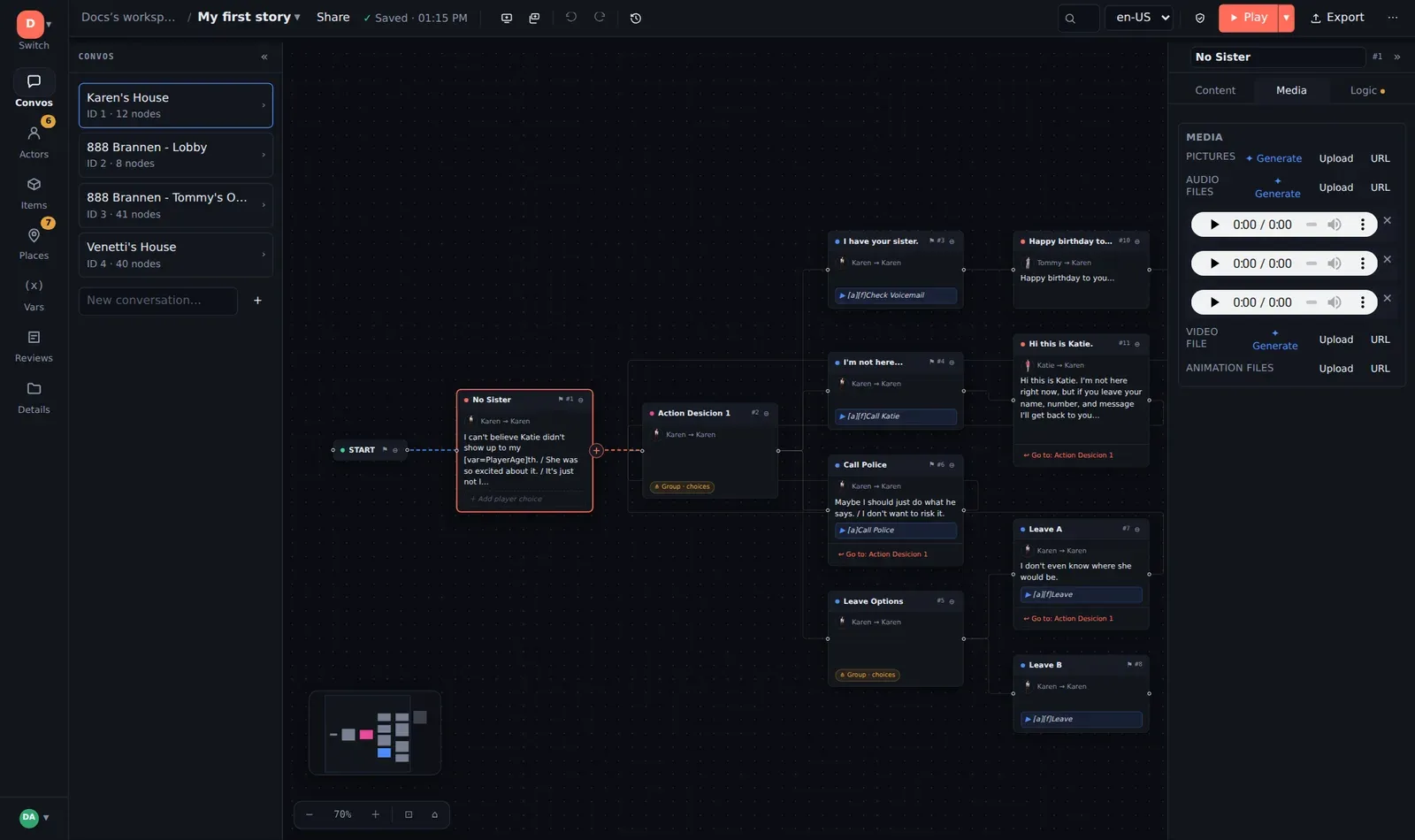
Attaching a file
Section titled “Attaching a file”In any slot:
- Upload — choose a file. Files up to 50 MB in any common audio, image or video format.
- Media URL — paste a link to a file hosted elsewhere. Nothing is copied; the project stores the URL.
- Generate with AI (✦) — see AI-assisted media.
Uploads are stored once per workspace by content: attach the same recording to three nodes and it is stored once. Detach removes the file from a slot but leaves it in the project’s media, so it is still there to reattach.
Previewing and playing
Section titled “Previewing and playing”Every attached file previews in place — an audio player, a video player, a thumbnail — so you can check a take against the line without downloading it.
The simulator plays a node’s audio and video in order as the line appears (Auto media is on by default; untick it to read silently). ▶ Play mode does the same, full-screen, with the place picture as the backdrop and the actor’s portrait beside the speech bubble.
Sentence splits and multiple takes
Section titled “Sentence splits and multiple takes”A line written as First sentence.|Second sentence. plays as two successive
lines. Attach two audio files and they pair up in order: the first file with
the first sentence, the second with the second. This is how the voiceover
sheet and the recording studio expect it.
A project can register a second Files field on nodes (Details → Custom field templates) for an alternate take of each line — a second voice, a calmer read. Exporters carry it as an ordinary field so an engine can choose which track to play.
Naming recordings
Section titled “Naming recordings”If a studio delivers files named by conversation, node and segment, they match up without hand-attaching. The convention ChatMapper Desktop’s Audio File Placer established, and the one to ask for:
003_002.mp3 conversation 3, node 2, first (only) segment003_002_005.wav conversation 3, node 2, segment 5003/002/005.mp3 the same as a folder treeTurn on ⋯ → Show node IDs to read the numbers off the cards, or export the Voiceover Script CSV, which carries conversation, node and line number on every row.
Media in exports
Section titled “Media in exports”- CMPKG + media packages the project with every attached file, for the Desktop app or for hand-off to an engine team.
- ChatMapper JSON / XML reference media by filename; deliver the files alongside.
- Voiceover Script CSV lists every spoken line, one per row, with the markup stripped — the sheet you hand to talent.
- The standalone HTML player is deliberately text-only, so it stays one small file that runs from anywhere.
See Exporting and delivering and, for the filename conventions an engine will see, the developer data model.
Housekeeping
Section titled “Housekeeping”Media attachments are a workspace feature switch (Settings & Labs → Media attachments), on by default. Storage counts against the workspace’s plan.