
Exporting and delivering scenarios
Export in the toolbar lists every format, grouped by what you would do with it. Type in the filter box to find one; the last format you used is marked so a repeat export is two clicks.
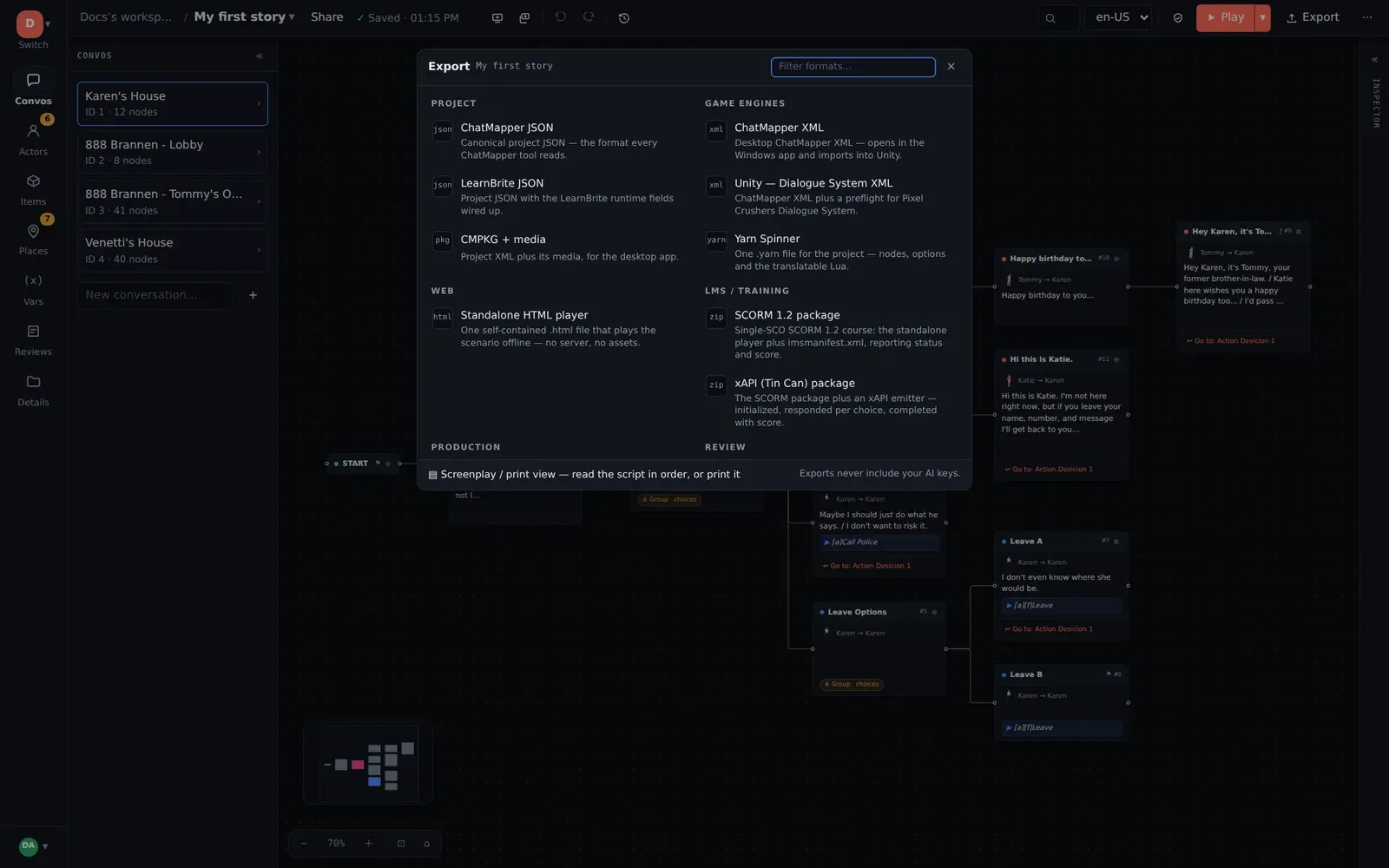
Every export is generated from the saved project. Exports never include your
workspace’s AI keys, and _editor data (canvas positions, collapsed state,
notes) is stripped from the interchange formats.
Project
Section titled “Project”| Format | Use it for |
|---|---|
| ChatMapper JSON | The canonical project — the format every ChatMapper tool reads and the one to hand a developer building a custom runtime. Documented in full in the developer reference. |
| CMPKG + media | A package of the project plus every attached media file, for the Windows Desktop app or for handing the whole scenario to an engine team. See CMPKG. |
Game engines
Section titled “Game engines”| Format | Use it for |
|---|---|
| ChatMapper XML | Desktop ChatMapper’s XML. Opens in the Windows app; imports natively into Unity’s Dialogue System. |
| Unity — Dialogue System XML | Exactly the same XML, plus a preflight report for the things that import cleanly and then misbehave in Pixel Crushers Dialogue System — duplicate Lua keys, | inside tags, items without an Is Item field, nodes without a Sequence. Apply the built-in Unity — Dialogue System custom field template first so writers fill those fields in as they go. Guide: Unity. |
| Yarn Spinner | One .yarn file for the project: lines, -> options, jumps, variable declarations, and the translatable subset of your Lua as <<if>> / <<set>>. Anything it cannot translate is kept as a comment beside the line and listed in the export’s warnings. Guide: Yarn Spinner. |
If your engine is not on this list, the answer is ChatMapper JSON and the custom runtime guide, which includes a reference parser.
Standalone HTML player — one self-contained .html file: the scenario,
a player, and its styling, with no server, no external requests and no
assets. It runs from a double-click, from file://, from any static host.
At the end of a run it shows a summary — nodes visited, endings reached,
final variables. Send it to a stakeholder, attach it to a bug, put it in a
playtest folder. Details and its small JavaScript API:
HTML player.
LMS and training
Section titled “LMS and training”| Format | Use it for |
|---|---|
| SCORM 1.2 package | A .zip with the HTML player and an imsmanifest.xml as a single SCO. On completion it reports status and a score to the LMS. |
| xAPI (Tin Can) package | The same package plus an xAPI emitter: initialized, one responded per choice, completed with score. |
Scoring uses a numeric variable named score if the project has one
(normalised to 0–100 from its declared min/max; passed at 80 or above),
otherwise “reached an ending” scores 100 and an abandoned run scores the
proportion of nodes visited. The rule used is written into the manifest.
Details: SCORM and xAPI.
Production
Section titled “Production”| Format | Use it for |
|---|---|
| Voiceover Script CSV | One row per spoken line — | splits become separate rows — with the markup stripped and [var=…] shown as a {Name} placeholder. The recording sheet. |
| Proofreading Text | Every piece of display text in reading order, one section per conversation, for a read-through in a word processor. |
| Screenplay RTF | An editable screenplay for Word or LibreOffice. |
| Assets CSV | Actors, items, places and variables in one sheet. |
| Dialogue CSV | One row per dialogue node across every conversation. |
| Everything CSV | Assets, dialogue and reviewer notes in one sectioned file. |
Screenplay / print view at the foot of the Export menu opens the script in order on screen, with a print button — the quickest way to read a scene as prose, or to get a PDF via the browser’s print dialog.
Review
Section titled “Review”| Format | Use it for |
|---|---|
| Reviewer Notes CSV | Every note and review status in the project. See Review and feedback. |
| Conversation SVG | A vector snapshot of the current conversation’s graph, node colours included, for design documents. |
Which one do I want?
Section titled “Which one do I want?”| Situation | Export |
|---|---|
| Unity project using Dialogue System | Unity — Dialogue System XML |
| Unity or any engine using Yarn Spinner | Yarn Spinner |
| Godot, Unreal, a web game, a custom engine | ChatMapper JSON + the reference parser |
| A producer wants to play it tonight | Standalone HTML player, or the player link |
| Training content for an LMS | SCORM 1.2, or xAPI if the LMS supports it |
| Sending lines to a recording studio | Voiceover Script CSV, and CMPKG if scratch audio should travel too |
| A colleague still on ChatMapper Desktop | ChatMapper XML (or CMPKG + media) |
| Keeping the whole thing somewhere safe | ChatMapper JSON |
Delivering media
Section titled “Delivering media”Only CMPKG + media carries files. The other formats reference media by filename, so deliver the files alongside — the data model explains what an engine will see in the fields.