
Logic and variables
Branching gets you choices. Variables and conditions get you consequences: the guard who remembers you lied, the merchant who only haggles once you have the token. This page is everything a writer needs; the developer reference has the rest.
Variables
Section titled “Variables”Open Vars in the rail and add one. A variable has a name, an
initial value and a description. Values are numbers, true/false, or
text — ChatMapper works out which from the initial value you type (0,
false, "nobody").
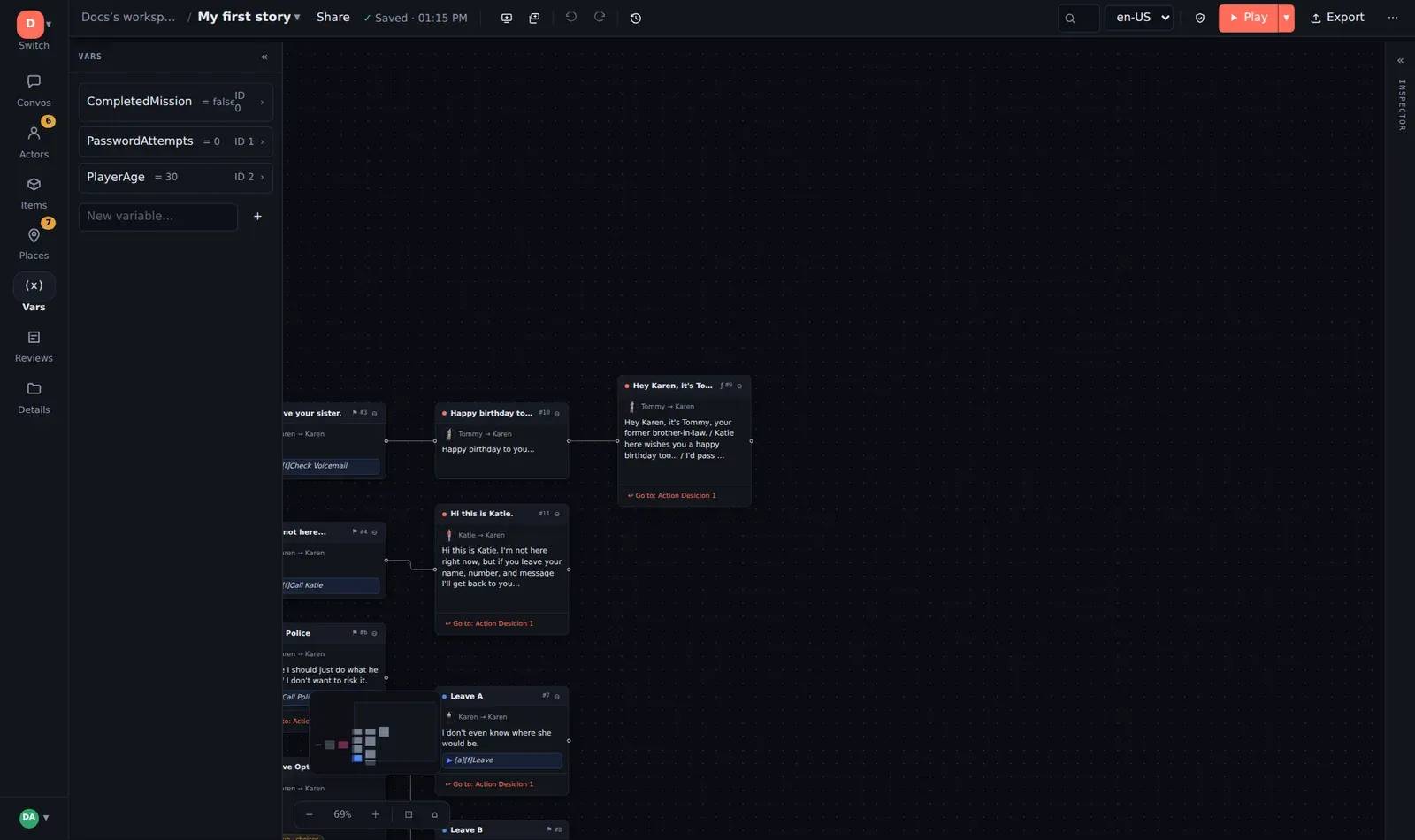
Variables are referred to by name in scripts. Rename one and you must update the scripts that mention it — the validator flags the ones you miss as undefined.
Setting a variable: the script
Section titled “Setting a variable: the script”Every node has a Script (Lua) in the Logic tab. It runs when the node plays. The scripting language is Lua, but you need almost none of it:
Variable["trust"] = Variable["trust"] + 1Variable["hasToken"] = trueVariable["lastSeen"] = "ferry"Several statements go on separate lines. The project-level script (Details → Project UserScript) runs once at the start of a playthrough, which is the place for anything more elaborate than an initial value.
Testing a variable: the condition
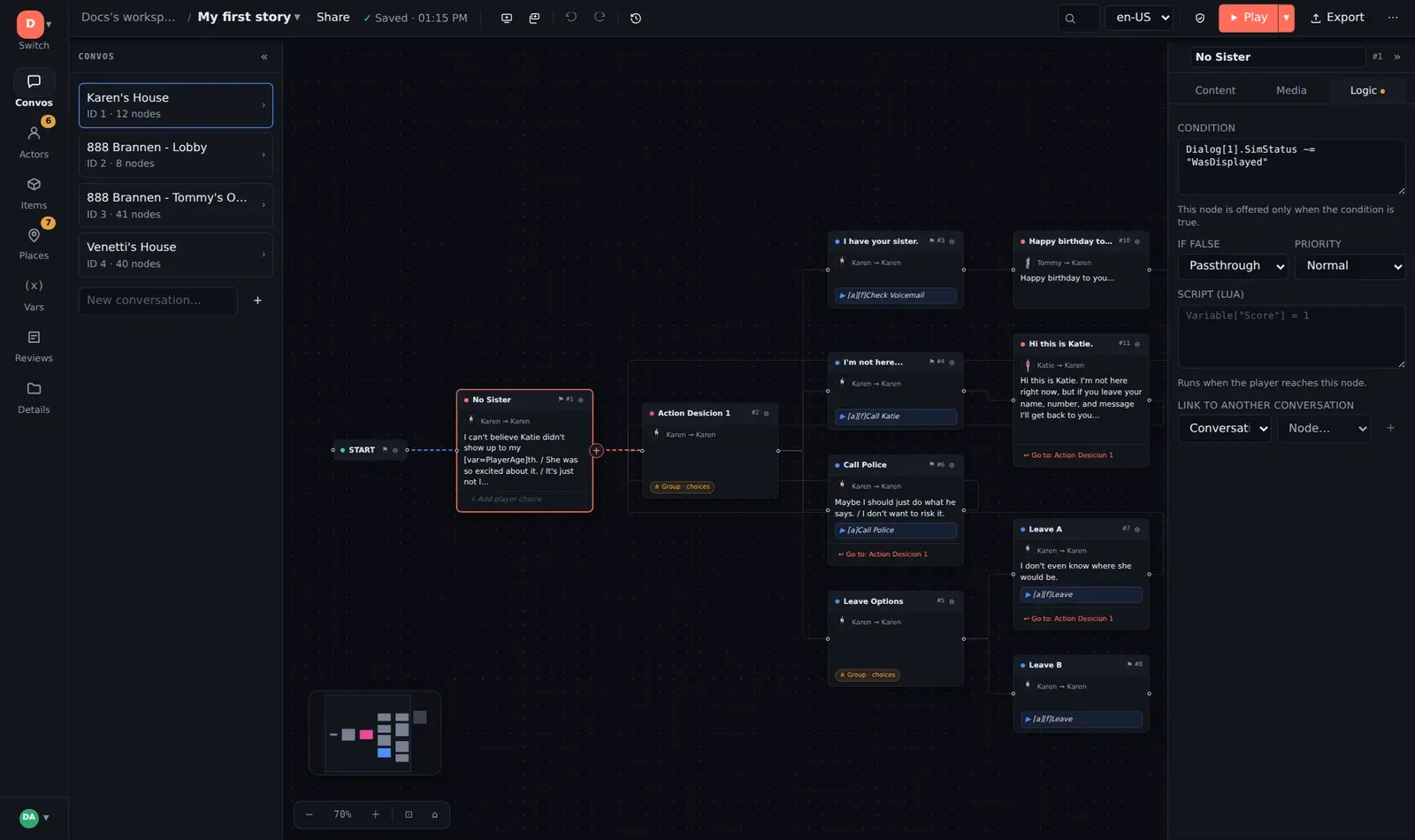
Section titled “Testing a variable: the condition”Every node also has a Condition. If it is empty, the node is always available. If it is filled in, the node is only offered when the expression is true:
Variable["trust"] >= 2Variable["hasToken"] == true and Variable["trust"] > 0not Variable["angry"]== is equals, ~= is not-equals, and and / or / not combine tests.
That covers the great majority of game dialogue.
A node whose condition is false is simply skipped. Put a condition on a choice and it disappears from the menu; on a line, and the line is not spoken — the story continues with whatever is available.
If false: Block or Passthrough
Section titled “If false: Block or Passthrough”Next to the condition, If false decides what happens when it is not met:
- Block (default) — the node and everything under it are hidden.
- Passthrough — the node itself is skipped but its children are offered in its place. Use this for an optional beat: “if the player has met the captain, play the recognition line, otherwise go straight to the choices underneath”.
Priority
Section titled “Priority”When several candidates are available, Priority (High … Low, Normal by default) decides which survive: only the candidates at the best priority present are offered. The classic use is a fallback line at Low priority under several High-priority conditional lines — it plays only when none of the specific ones apply, with no need to write the inverse of every condition.
Has this been seen?
Section titled “Has this been seen?”Every node remembers whether it has been offered or displayed in the current playthrough. In a condition:
Dialog[12].SimStatus == "WasDisplayed"Dialog[12].SimStatus ~= "Untouched"The number is the node’s ID — turn on ⋯ → Show node IDs to read them off
the cards. The status is one of Untouched, WasOffered (appeared in a
menu, not chosen) or WasDisplayed. This is how you write “don’t repeat the
greeting” or “only if they asked about the storm” without inventing a variable
for each.
Substituting values into text
Section titled “Substituting values into text”[var=Name] in dialogue or menu text is replaced with the variable’s current
value when the line is shown: “You’ve asked me [var=questions] times
already.” The [var] button above the text field inserts it.
Asking the player to type
Section titled “Asking the player to type”[?Name] in a line pauses the story and shows an input box; whatever the
player types is stored in Name and the token disappears from the line.
[x=?Name] is the same with a hint. The simulator shows the prompt and resumes
where it left off. Engines that cannot prompt should strip the token — see the
markup reference.
Where to check your logic
Section titled “Where to check your logic”The simulator runs real Lua and shows every
variable as it changes. Open Variables, play to the choice you care about,
step back, take the other branch, and watch the numbers. The Lua
console lets you set a variable mid-run (Variable["trust"] = 5) to test a
late branch without replaying the first act.
- The simulator
- Validation — catches undefined variables and conditions that reference nodes that no longer exist.
- Lua reference for developers — the full host API, name-cleaning rules, and what the standalone player supports.