
Getting started with ChatMapper
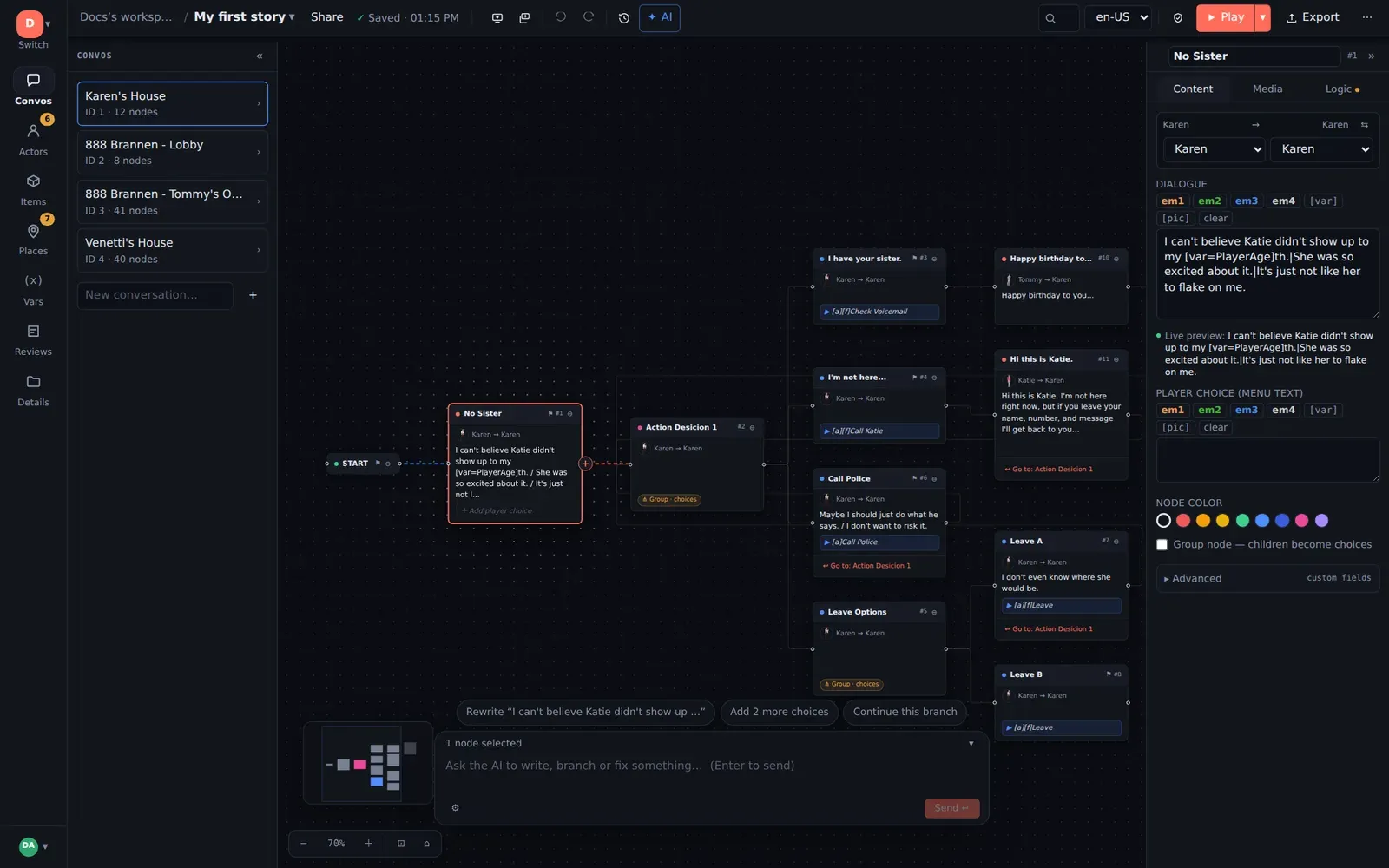
ChatMapper Cloud is a browser-based editor for branching dialogue. You write lines and choices as a graph on a canvas, play it back in a simulator that runs your real game logic, and export it into your engine — Unity, Yarn Spinner, a standalone web player, or your own runtime via the documented JSON format.
This section is written for game writers and narrative designers. It assumes you have written dialogue before and have never opened ChatMapper. If you are wiring the output into an engine, the developer documentation picks up where this leaves off.
Start here
Section titled “Start here”- Your first story — sign in, open the working example, change a line, add a choice, play it. About ten minutes.
- The editor — every panel and control, plus dark/light themes and keyboard navigation.
- Building conversations — nodes, choices, links, group nodes, loops, and the layout tools that keep a large graph readable.
- Logic and variables — remembering what the player did and making later dialogue react to it.
Everything the editor does
Section titled “Everything the editor does”| Feature | Read |
|---|---|
| Browser-based authoring, themes, keyboard navigation | The editor |
| Visual conversation building, minimap, layout, layout locking | Building conversations |
| Workspaces, teams, roles, presence, conflict protection | Workspaces and teams |
| Autosave, revision history, snapshots, restore | Autosave and history |
| Reviewer notes, review status, CSV export | Review and feedback |
| Cloning projects, Trash and recovery | Duplicate and recover |
| Uploading, attaching and playing media | Media |
| Broken links, orphans, undefined variables, missing speakers | Validation |
| Playing with real Lua, stepping back, the Lua console | The simulator |
| Generating a draft from a description | AI scenario generation |
| Proposed edits you approve, AI in notes and history | Controlled AI editing |
| Letting an AI persona play your scenario | AI persona playtesting |
| Free-chat nodes with scored outcomes, voice | AI conversations |
| Generated audio, portraits, video | AI-assisted media |
Spreadsheets, Twine, Arcweave, articy:draft, Desktop .cmp | Importing existing work |
| HTML player, SCORM, xAPI, Yarn, Unity, JSON, XML, CSV, RTF, SVG, CMPKG | Exporting and delivering |
| Every shortcut on one page | Keyboard shortcuts |
| Start nodes, replay, ask-in-any-order loops, one-time lines, random setups | Recipes |
The five words you need
Section titled “The five words you need”ChatMapper models a conversation as a graph, not a script. Five terms carry almost everything:
| Term | What it is |
|---|---|
| Project | One scenario. Everything below lives inside it. |
| Conversation | One branching tree — “the argument on the ferry”. A project holds many. |
| Node | One beat: a line someone says, or a choice the player picks. Nodes are the cards on the canvas. |
| Link | An arrow from one node to the next. A node with several outgoing links is a branch. |
| Actor | A character. One of them is the player. |
Two more you will meet soon: variables (remembered facts, like trust or
hasKey) and conditions (a line only plays when a variable says so).
Every conversation starts at a root node called START. START is structural — it holds no dialogue, it just points at the first real line.
How a node becomes a line or a choice
Section titled “How a node becomes a line or a choice”A node has two text fields that matter most:
- Dialogue — what the character says.
- Player choice (menu text) — what the player sees on a button.
The runtime decides between them by counting children. If a node has one child, that child plays automatically. If it has two or more, the player is shown a menu built from each child’s menu text. That is the whole branching mechanic: add a second child and you have created a choice.
Nothing to install
Section titled “Nothing to install”ChatMapper Cloud runs at app.chatmapper.com in a current Chrome, Edge, Firefox or Safari. It reads and writes the same project format as the Windows ChatMapper Desktop application, so projects move in both directions; nothing you have already built is stranded, and you never need the Windows app to use the web one.